Credit Notes
Section: Sales & Billing
URL:/admin/credit_notes
Page title: (2) Facturi Storno
Overview
Credit notes reverse or adjust a previously issued invoice — used for returns, refunds, or pricing corrections.
Business value
Reverses or adjusts a previously issued invoice — for returns, refunds, pricing corrections, or discount applied late. Keeps the audit trail clean (an invoice is never "edited away") and updates the customer balance correctly.
- Who uses it: Finance / AR, customer success, sales
- Key benefit: Resolves disputes and processes returns without breaking accounting integrity.
Typical use cases:
- Issue a credit note for a returned item; AR balance auto-adjusts
- Correct a billing error after the invoice was sent
- Apply a goodwill discount to a paid invoice
At a glance

Accessing this module
From the admin sidebar, navigate to Credit Notes, or open the URL directly:
/admin/credit_notes
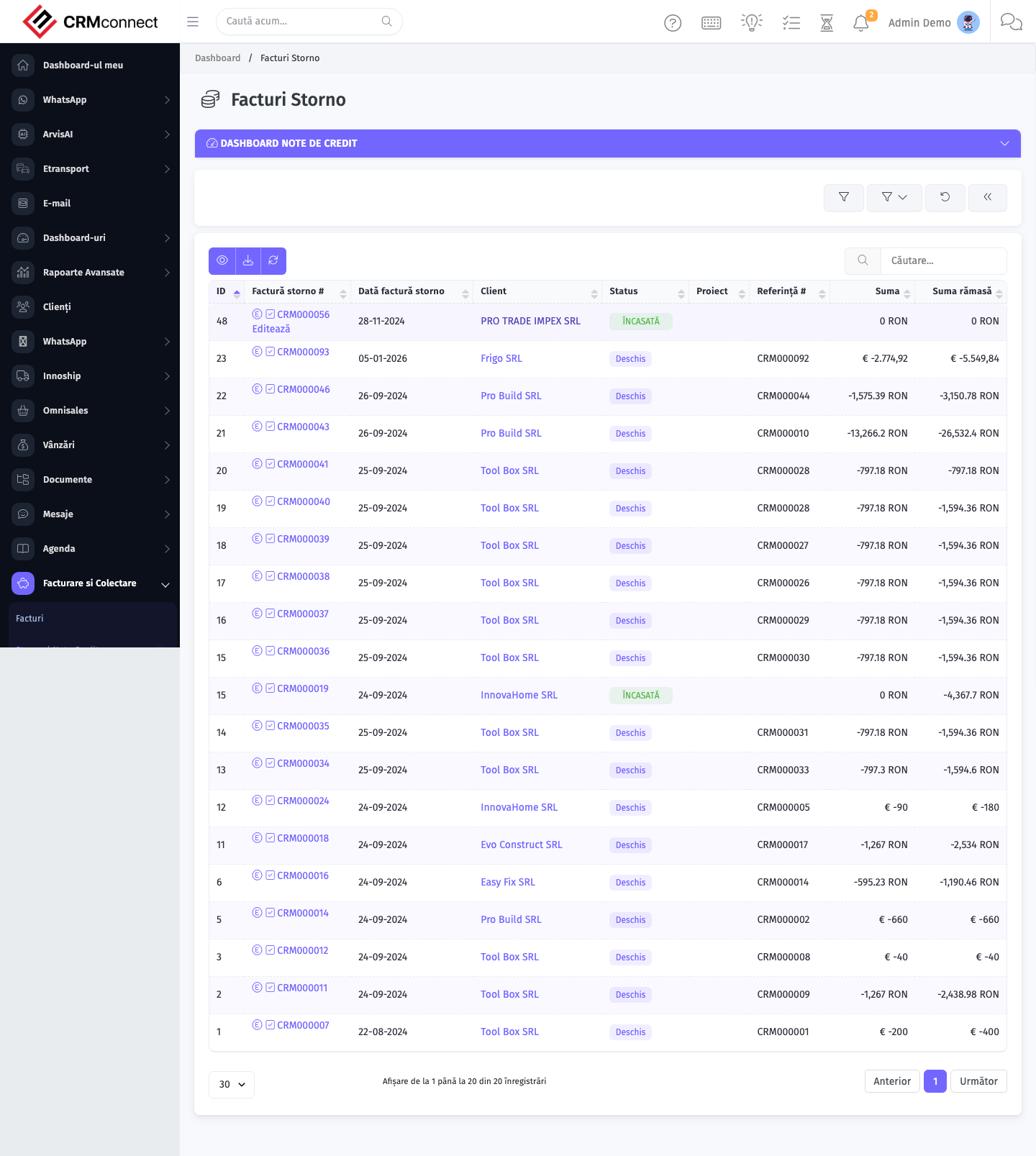
List view
The list view shows existing credit notes records. Use it to search, filter, sort, and bulk-act on items.
Common actions
- View existing records — open Credit Notes from the sidebar to see the list view.
- Search and filter — use the search box and column filters to find records.
- Create a new record — click the Add / New button (or follow the "Create" URL above) and fill in the required fields.
- Edit a record — click a row to open the detail view, then use the edit action.
- Delete a record — use the row's delete action; deletion may be soft or hard depending on the module.
- Bulk operations — select multiple rows via the checkboxes and apply a bulk action from the toolbar (export, delete, status change, etc., where supported).
API
This module is available via the REST API.
Authentication. All API requests require the header authtoken: <token> (generate one at /admin/api/api_management).
Base URL. https://your-domain.tld/api/
Key endpoints:
| Method | Path | Purpose |
|---|---|---|
POST |
{{base_url}}credit_notes |
Add new Credit note |
GET |
{{base_url}}credit_notes?nr_page&per_page |
List all Credit Notes |
GET |
{{base_url}}credit_notes/1 |
One Credit Note |
GET |
{{base_url}}credit_notes/search/tes |
Search Note Credit Information |
PUT |
{{base_url}}credit_notes/21 |
Update Credit Note |
DELETE |
{{base_url}}delete/credit_notes/12 |
Delete Credit Note |
See the full payload schemas, query parameters, and example responses in the API reference (Credit Notes).
Captured: 2026-05-10T09:51:26.776Z · Source: demo.crmconnect.io/admin/credit_notes